
Carve Wood ADMIN ABUSE Getting Started in Carve Wood
A first-hour walkthrough from the red lever to a shop that actually attracts NPC customers.
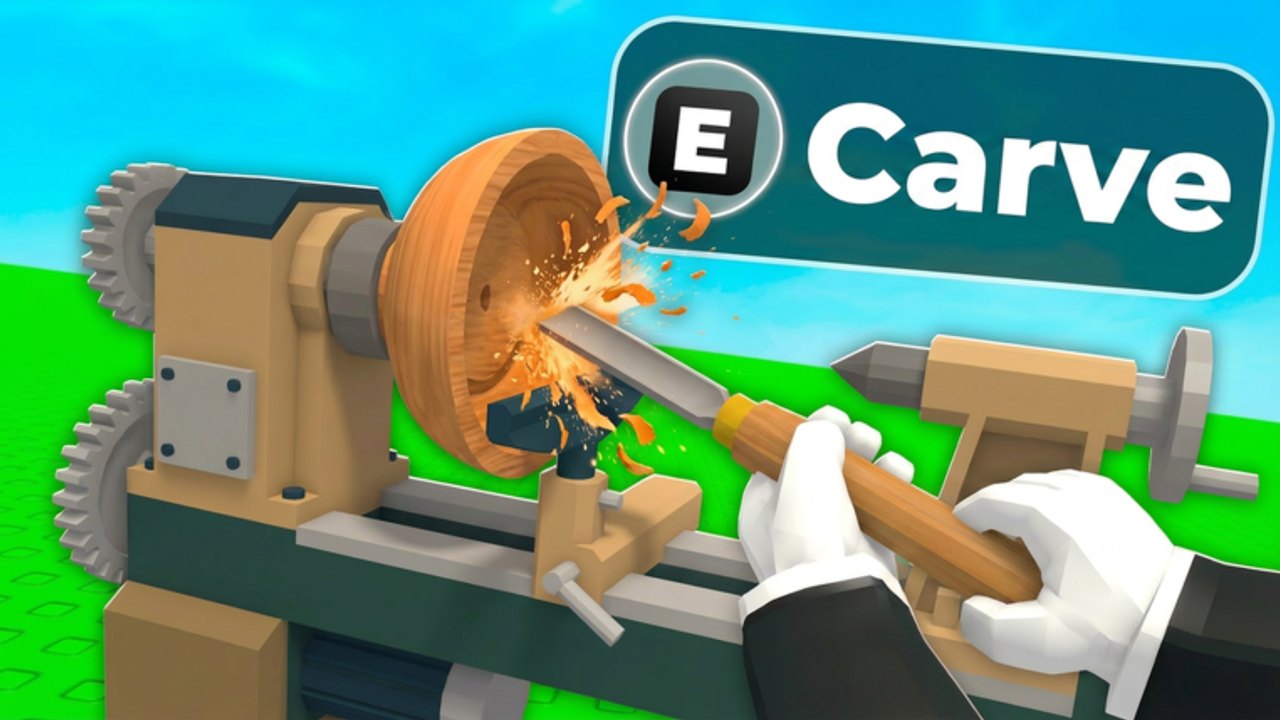
Carve Wood is a Roblox simulation tycoon released on 27 June 2026 by group $1b (owner OfAspen). You grow trees, chop them, carve logs, and sell sculptures. This page is the onboarding you want before how to play goes deeper on the loop and before Admin Abuse asks you to empty beds on command.
Join from the official experience. Servers hold six players. Your yard is yours; other people are just neighbors in a small instance. VIP servers are not enabled.
Badges you will trip over
- Welcome to Carve Wood! — joining.
- You completed the Tutorial! — newer tutorial completion badge (added 5 Aug 2026).
- Carve 10 Logs and Chop 10 Trees — play the loop; they come naturally.
- An older Complete the Tutorial badge exists with almost no recent awards; ignore it if it never pops.
Minute 0–10
- Finish the tutorial prompts. Do not skip so hard that you miss where the lathe is.
- Find the red lever. Pull it. The first seed is free.
- Equip the seed and drop it on a seedbed. A timer appears.
- Wait, or hope Rain lightning hits it later. Do not spend Robux on Instant Growth until you know you like the game.
- Equip the Basic Axe and chop. You get logs and Woodchips for tycoon upgrades.
- Carry a log to the machine beside the Sell Zone. Trace the blue outline. Watch the accuracy percent.
- Display the piece. NPCs pay Coins.
If accuracy is a mess, open how to carve and controls before you buy Auto Lathe in a panic.
Minute 10–40
Spend Coins on extra seedbeds before cosmetics. Two growing trees beat a painted barn. Plant the highest rarity the lever gives you; the order is Common → Uncommon → Rare → Epic → Legendary → Mythical → Sacred → Eternal (seed list).
Check the clock. Events last three minutes each hour (events). If Rain is up, leave a bed empty for lightning. If Electrified is up, delay chopping a good tree.
Hire a worker when walking between lever, beds, and lathe eats the whole session. That hire is the real beginner “autofarm.”
What not to buy yet
- Paintbrush before you have decent sculptures (gamepasses).
- 2x Roll Luck before you understand rarity skipping.
- Random scripts from a Discord titled “CARVE WOOD OP.”
- Fake codes. There is no box.
The Starter Pack (Coins, Glow Seeds, Diamond Axe) is fine if you already decided to main the game. It is not required to finish the tutorial badges. Plant before you quit so offline growth works.
Hour one goals
- Two seedbeds filled with at least Uncommon+.
- Ten logs carved, even ugly ones, so the badge drops and your hands learn the outline.
- Woodchips spent on the cheapest tycoon upgrades that add space or speed, not on flex.
- A mental note of when the next hourly event hits.
- Bookmark the 2x Weekend page if the title still shows the tag.
Log out with high-rarity seeds in the ground. Offline growth is free progress. Logging out on empty beds is how beginners stay beginners.
When hour one is done, read how to play for the loop as a system, then rare seeds so the lever stops feeling like a slot machine you cannot influence. If a boost is tonight, skip ahead to Admin Abuse prep and come back to carving drills tomorrow.
Frequently Asked Questions
Quick answers for Carve Wood Admin Abuse, codes, seeds, and carving.
Is Carve Wood free?
Yes. Optional passes and a Starter Pack exist. You can finish the tutorial and sell logs without paying.
Where is the code box in the tutorial?
Nowhere. Codes are not in the game yet. See the codes hub.
What axe do I start with?
The Basic Axe. Diamond Axe comes from the Starter Pack, not from chopping ten trees.
Can friends play in my yard?
You share a 6-player server. Yards are personal. VIP servers are off, so you cannot lock a private instance.