
Carve Wood ADMIN ABUSE Carve Wood Controls
The lathe is a camera puzzle — zoom first, then trace.
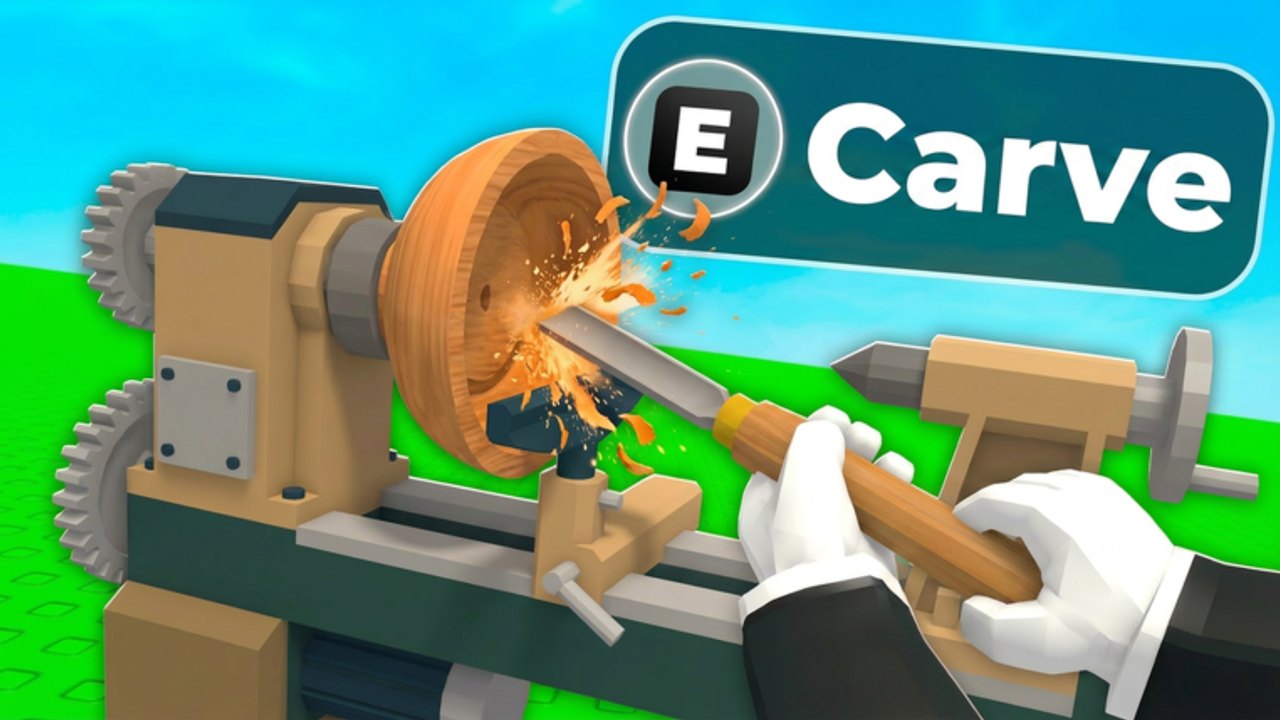
Missed inputs look like “the game is broken.” Usually the camera is too far from the outline or chat has stolen your paste. This page is the control map for Carve Wood plus the lathe-specific habits that raise accuracy. Pair it with how to carve and Getting Started.
PC map (Sportskeeda + in-game)
| Action | Key |
|---|---|
| Move | W A S D |
| Jump | Space |
| Interact / carve | E |
| Zoom in | I |
| Zoom out | O |
Shift-sprint if the client allows it; 2x Walkspeed is not for sale, so do not hunt a key for a missing pass (gamepasses).
Mobile
- Thumb stick to walk, jump on the right.
- Interact is the on-screen button that matches E — including the E Carve prompt on the lathe.
- Pinch-zoom if I/O are not bound; if pinch fights the trace, use Auto Lathe on Commons.
- Close chat before interacting. Chat eats the first tap.
Console
Use the platform’s interact button for E. Open the on-screen keyboard only inside a future Codes modal, never inside party chat (how to redeem).
Lathe camera
- Approach the machine beside the Sell Zone.
- Press E / tap Carve.
- Zoom in until the blue outline is thick.
- Trace in short strokes.
- Zoom out only if you lost the silhouette entirely.
If sparks look cinematic but the percent falls, you are too close and too deep. Back off one zoom step. This is the entire “how to beat” the minigame besides practice.
Quality-of-life that is not a keybind
- Item Magnet reduces pickup walking.
- Auto Lathe removes the trace.
- Workers reduce WASD time (workers).
- Zoom is free. Try it before you spend Robux.
Admin Abuse and lag
During a host window or 2x Weekend rush, input delay rises in 6-player servers. Slow down traces. Do not spam E on the lever; you will buy a seed you meant to skip. If the client hard-locks, rejoin knowing you might land in a different instance — plant S-tier before you experiment with graphics settings.
Accessibility
Color-heavy mutations (Electrified, Moonlit) are easier to see if you turn up brightness rather than turning on a third-party “ESP script.” Those scripts are account risk (scripts).
Keep this table bookmarked. Every other guide assumes you can press E on the correct machine. If you cannot, none of the tier lists matter.
For sale decisions after a good trace, open the shop value checklist. For the rest of the loop, open how to play.
Graphics settings that steal traces
Low frame rate turns the outline into a strobe. On a laptop, cap nothing else first — drop shadows, then particles, then range. Admin Abuse particle spam is how traces desync even with correct binds. If the log stutters, pause, zoom out one step, then resume; do not slash through the stutter or you will eat the shape.
Roblox shift-lock can help on PC by stabilizing the camera yaw. If shift-lock yanks the chisel off the silhouette, turn it off for the lathe only. There is no unique “carve lock” key.
Controller notes
On a gamepad, interact is the same face button you use for doors in every other Roblox tycoon. Hold it a beat longer than you think; a tap can jump-cancel the mount. Once mounted, use the right stick in small arcs, not full flicks. Full flicks are how console players sit at 55% forever and then buy Auto Lathe they did not need.
If the Codes box ever ships, open it from the HUD icon, not by rebinding E. E must remain the lathe key or you will type seeds into chat during luck windows.
Rehearse I/O on a Common before 2x Weekend. Muscle memory for zoom is cheaper than a 79 Robux pass you bought because the camera felt “broken.”
Frequently Asked Questions
Quick answers for Carve Wood Admin Abuse, codes, seeds, and carving.
What key starts carving?
E on PC, the on-screen interact button on mobile, while standing at the lathe next to the Sell Zone.
How do I zoom?
I zooms in, O zooms out on PC. Pinch on mobile if needed.
Is there a sprint key?
Use the default Roblox sprint if enabled. The 2x Walkspeed pass is not for sale.
Why does E open chat?
Focus is on chat. Tap the world or press slash to close, then interact.