
Carve Wood ADMIN ABUSE How to Carve Logs
Trace the blue outline, protect accuracy on high-rarity wood, and know when Auto Lathe is allowed.
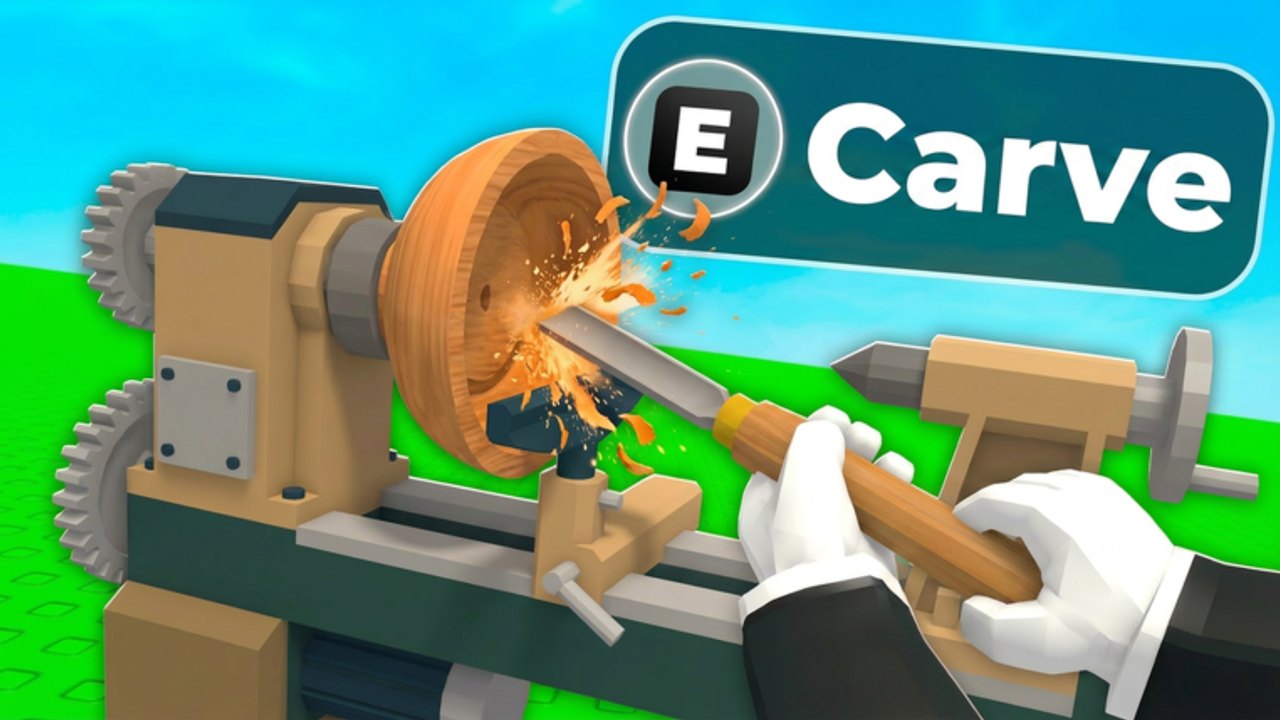
Carving is how Carve Wood turns a waiting game into a skill game. Sportskeeda describes it clearly: a blue outline appears, you trace the shape, and the accuracy percentage at the top becomes the value of the sculpture. 100% pieces earn more and draw more crowds to the shop. This page is the practical drill. Pair it with controls, shop value, and auto-carve.
Starting the minigame
Interact with the machine next to the Sell Zone. Your character mounts the log on a lathe — the same scene as the official thumbnail, complete with the E Carve prompt. If you cannot find it, you are still in the seedbed area; walk back toward the shop counter.
PC: mouse along the outline. Mobile: a thumb drag that will fight you. Console: slower but stable. Zoom I in and O out until the silhouette is fat enough to trace.
Tracing without eating the shape
- Start at an end grain or a long straight, not at a thin spike.
- Short strokes beat one panic slash.
- If sparks look cool but accuracy is falling, you are too deep.
- Pause when the log rotates to a new face; do not chase it in a circle.
- Stop when the percent stalls rather than “fixing” a corner and dropping 12%.
Commons are practice wood. Do twenty of them before you touch a Legendary. Muscle memory from Getting Started is cheaper than a ruined Sacred.
Accuracy brackets that matter
Treat these as shop rules of thumb, not leaked source code:
- 90–100% — display at the front. This is crowd bait.
- 75–89% — sellable Epic and below; recraft policy if the game later allows it.
- 50–74% — Auto Lathe territory. Fine for Uncommon.
- Under 50% — you are burning rarity. Walk away, reset your zoom, try a Common.
Electrified’s 2.2x (mutations) multiplies whatever you carved. 2.2 × a 40% sculpture is still a bad product. Hand-carve mutated A/S seeds from the seed list.
Auto Lathe vs your hands
The 79 Robux pass carves instantly and less precisely. Use it to clear a jam of Commons so beds refill before Rain. Do not use it as a personality. During Admin Abuse the correct split is robot-on-trash, hands-on-headlines.
If a script claims 100% forever, it is selling a screenshot. Server lag in a 6-player boost instance will desync traces. See the scripts hub.
After you unmount
Put the sculpture in the Sell Zone where NPC pathing hits it. Empty counters waste Paintbrush even if customers spawn twice as often. Rotate old Commons out so the glowing mutated piece is visible.
Woodchips from the chop still matter — they are not the sculpture. Spend them on tycoon nodes that add beds or worker slots, not on decorations, until how to play feels automatic.
Drills for 2x Weekend
The night before a listed 2x Weekend or suspected Admin Abuse:
- Carve ten Commons focusing only on staying above 90%.
- Carve three Epics at the same standard.
- Stop. Do not tilt into a Sacred at 1 a.m.
- Log out with S-tier seeds planted.
- Next day, hand-carve only the boosted mutated logs.
That drill is how to beat the minigame without a video. We are not embedding a random woodworking YouTube here — those IDs are not this Roblox lathe. When an official Carve Wood tutorial lands, it will be mid-article on this page, one video only.
If your accuracy is fine but Coins are not, the leak is rarity or events, not the chisel. Go to rare seeds or events instead of buying another pass.
Frequently Asked Questions
Quick answers for Carve Wood Admin Abuse, codes, seeds, and carving.
Where do I start carving?
The machine next to the Sell Zone. Look for the lathe and the E Carve prompt.
Do I need 100% every time?
You need it on high rarity and mutations. Commons can sit in the 80s while you learn.
Why zoom?
I and O thicken the outline. Most “broken minigame” complaints are a camera that sits too far out.
Can Auto Lathe replace this guide?
Only for low rarity. The pass text says it is less precise. Keep this page for Eternal.